Google Search Console: the reports that actually matter
Search Console is free, comes straight from Google, and most site owners open it twice a year. Here is how to set it up properly and the handful of reports worth checking every month.

If you only use one SEO tool, make it Google Search Console. It's free, and unlike every third-party tool, its data comes from Google itself: the actual searches people used, how often you appeared, how often they clicked, and which of your pages Google has chosen to index.
The interface can feel cluttered at first. This guide covers setup, then the reports we check every month and what to do with each one.
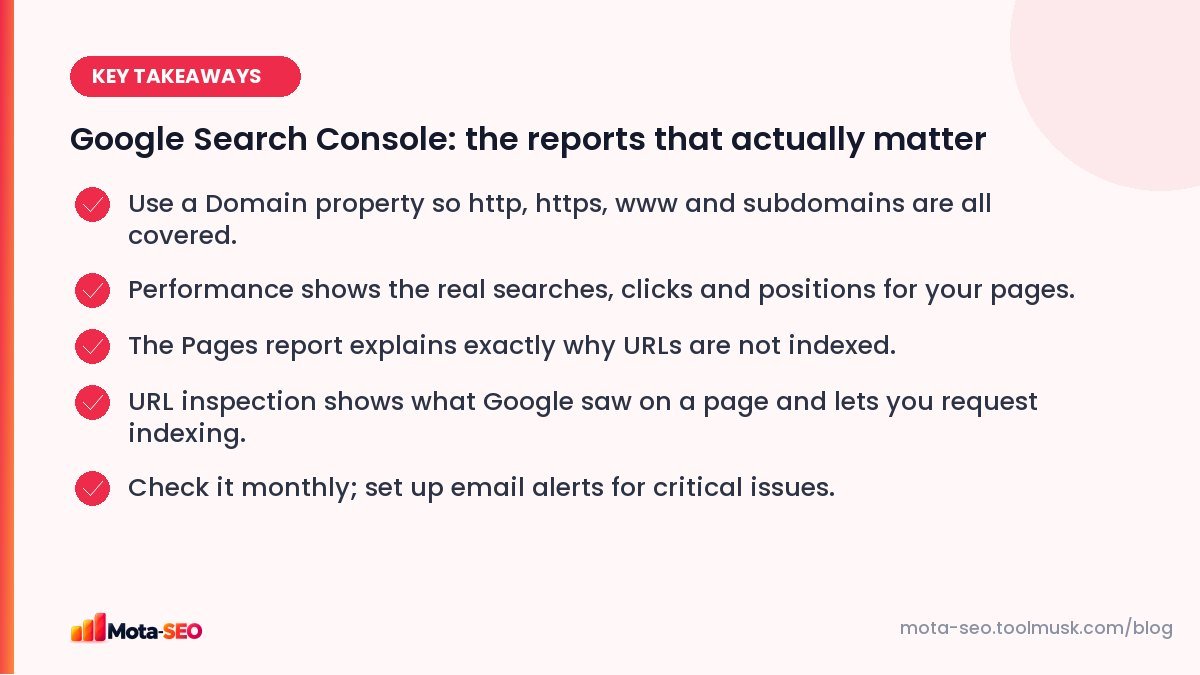
Key takeaways from this guide
Setting it up the right way
Go to Search Console and add a property. You'll get two choices:
- Domain property (recommended): covers every version of the site, http and https, with and without www, and all subdomains. You verify it with a TXT record in your DNS.
- URL-prefix property: covers only the exact address you type. Easier to verify (an HTML file or tag), but you can miss data from other versions.
For the domain property, Search Console gives you a TXT record like google-site-verification=abc123.... Add it at your domain registrar or DNS host, wait a few minutes, and click verify. If it doesn't verify, check it propagated with the DNS lookup tool (choose TXT). Our DNS records guide explains where to add it.
Once verified, do two things straight away: submit your sitemap (Indexing → Sitemaps) and add any colleagues who need access as users, rather than sharing one login.
Performance: what people search to find you
This is the report you'll use most. It shows four numbers for any date range:
| Metric | What it means |
|---|---|
| Clicks | Visits from Google search to your site. |
| Impressions | How often a link to your site appeared in results, even if nobody scrolled to it. |
| CTR | Clicks divided by impressions. |
| Average position | Your average ranking, where 1 is the top result. |
Three ways we use it every month
1. Find "almost there" keywords. Filter queries with an average position between 8 and 20. These are searches where you're already on the edge of page one. Improving the page that ranks for them, adding a section, a better title, a few internal links, is often the fastest win in SEO.
2. Find titles that don't get clicks. Sort by impressions and look for pages with a much lower CTR than others at a similar position. The title or description probably doesn't match what searchers want. Rewrite it, using our meta title guide, and compare four weeks later. You can preview the result with the SERP snippet preview.
3. Spot drops early. Compare the last 28 days with the previous period. If a page lost most of its clicks, check whether it lost positions (a ranking problem) or impressions (fewer people searching, or the page dropped out of the index).
Pages: what is and isn't indexed
Indexing → Pages lists every URL Google knows about, split into indexed and not indexed, with a reason for each excluded one. The reasons you'll see most:
- Excluded by 'noindex' tag: fine for thank-you pages and filters; a disaster for service pages.
- Page with redirect: normal for old URLs you redirected.
- Not found (404): deleted pages. Redirect them if they had links or traffic.
- Duplicate without user-selected canonical: Google found near-identical pages and picked one itself. Read our duplicate content guide.
- Crawled – currently not indexed: Google saw the page and decided it wasn't worth indexing yet. Usually a quality or uniqueness problem.
- Discovered – currently not indexed: Google knows the URL but hasn't crawled it. Often a sign of weak internal linking or a slow server.
URL inspection: see a page through Google's eyes
Paste any URL from your site into the search bar at the top. You'll see whether it's indexed, which canonical Google chose, when it was last crawled, and whether it's mobile-friendly. "Test live URL" fetches it right now and shows the rendered HTML and a screenshot, which is invaluable when content loads with JavaScript.
After fixing an important page, use "Request indexing". It doesn't guarantee anything, but it usually gets the page recrawled faster. Don't spam it for hundreds of URLs; it has a daily limit and a sitemap does that job better.
Sitemaps
Shows each sitemap you submitted, when Google last read it, and how many URLs it found. If "discovered URLs" is far below what you expect, check the file with our sitemap checker. Our XML sitemap guide covers what belongs in it.
Core Web Vitals and HTTPS
Under Experience, Core Web Vitals groups your URLs into good, needs improvement and poor, based on real visits from Chrome users. It needs a fair amount of traffic before it shows data. If pages are flagged, our Core Web Vitals guide explains each metric and fix. The HTTPS report lists any pages still served over plain http.
Manual actions and security issues
Hopefully empty forever. A manual action means a Google reviewer found something against the spam policies, such as unnatural links or hacked content. Security issues flag malware or hacked pages. Both come with emails too, which is one more reason to make sure the right people are added as users.
A 15-minute monthly routine
- Performance: compare last 28 days with the previous 28. Note big movers.
- Queries in position 8–20: pick two pages to improve this month.
- Pages: any new reasons, or a jump in excluded URLs?
- Sitemaps: read successfully, URL count as expected?
- Experience: any URLs newly "poor"?
That's it. Fifteen minutes a month in Search Console will tell you more about your SEO than most paid dashboards.
Frequently asked questions
Is Google Search Console the same as Google Analytics?
No. Search Console shows how your site performs in Google search before people click: searches, impressions, positions, indexing. Analytics shows what visitors do after they arrive, from every source.
Why does Search Console show fewer clicks than Analytics?
They count differently. Search Console counts clicks from Google search only, and hides some rare queries for privacy. Analytics counts sessions from every source and can be affected by cookie consent and ad blockers.
How long does Search Console take to show data?
Performance data usually starts appearing within a few days of verification and is about two days behind real time. Core Web Vitals needs enough real-user traffic, which can take weeks for small sites.
Does requesting indexing make a page rank?
No. It only asks Google to recrawl the URL sooner. Whether the page is indexed and where it ranks still depends on its content and quality.

Written by the Mota-SEO team
We build free SEO and website tools. Our guides are practical, written for small teams, and checked against Google's own documentation.


Comments 0