Internal linking: a simple system that actually works
Internal links are the one kind of link you fully control. They help Google find pages, understand which ones matter and how topics connect. Here is a system simple enough to keep up every month.
External links from other sites get most of the attention in SEO, because they're hard to earn. Internal links, the ones between your own pages, get far less, even though you control them completely and they're free.
They do three jobs: help Google discover pages, show which pages are most important, and explain how topics relate. Here's a system for doing them well without turning it into a spreadsheet project.
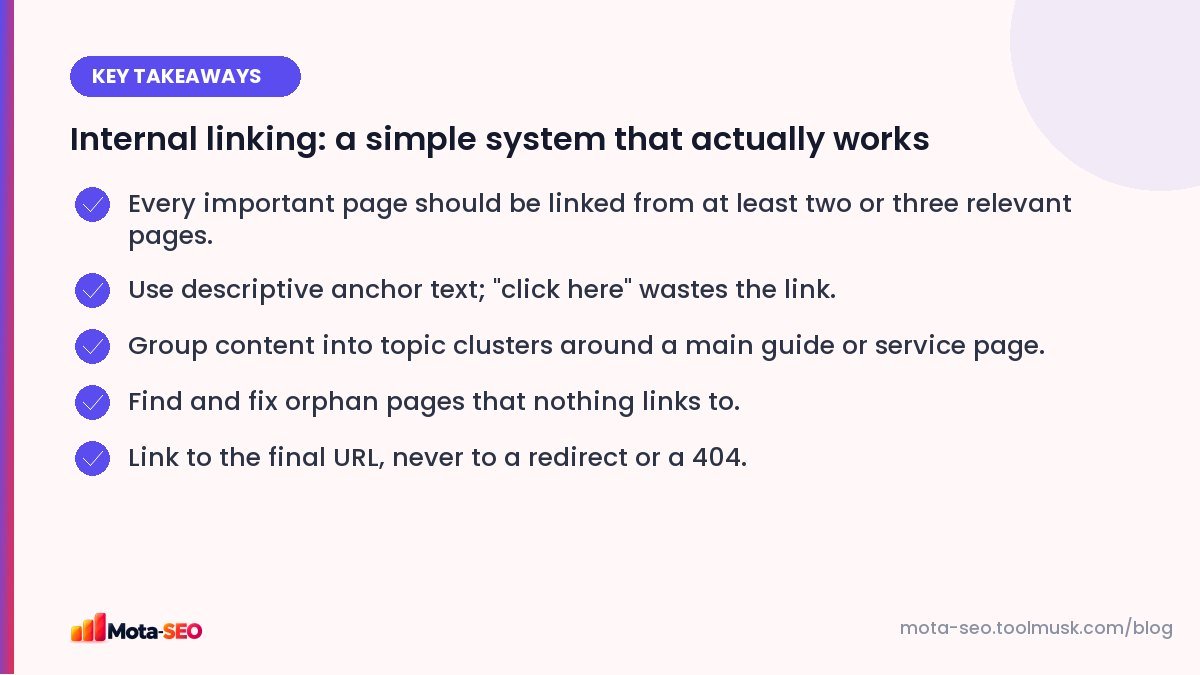
Key takeaways from this guide
Why internal links matter
Discovery. Googlebot finds pages mostly by following links. A page that nothing links to (an "orphan page") may be found through the sitemap, but it's treated as less important.
Importance. Pages that many other pages link to look central to your site. Your homepage, main services and best guides should be the most linked.
Context. The words you use in a link tell Google what the destination is about. A link reading "our root canal treatment page" is a strong hint.
Step 1: Decide your most important pages
List the 10–20 pages that matter most to the business: main service or category pages, your best-converting pages, cornerstone guides. These should receive the most internal links. If you're not sure, check Search Console for the pages that earn impressions for your most valuable searches.
Step 2: Build topic clusters
A cluster is one main page on a broad topic, surrounded by supporting pages on narrower subtopics, all linked together.
Main page:    Root canal treatment in Pune
Supporting:   Root canal cost explained
              Root canal vs extraction
              Recovery after a root canal, day by day
              Does a root canal hurt?
Each supporting page links to the main page, the main page links to each supporting page, and supporting pages link to each other where it's genuinely useful. This tells Google you cover the topic thoroughly, and it keeps readers moving through related content.
Step 3: Write anchor text that describes the destination
| Weak anchor | Better anchor |
|---|---|
| click here | see our root canal price guide |
| this article | how to write a meta title |
| read more | our GST registration service |
| link | check your redirects |
Vary it naturally. You don't need the exact same keyword phrase every time; descriptive and accurate is the goal.
Step 4: Link from inside the content
Menu and footer links matter, but links within the body text carry more context and get clicked. When you write a new post, add links to two or three related pages. Then, and this is the step everyone forgets, go back to two or three older related pages and add a link to the new one. Otherwise new content starts life as an orphan.
Step 5: Find orphan pages
Compare the URLs in your sitemap with the pages that actually receive internal links. Our internal link checker lists the internal links on any page, and running it on your main hubs quickly shows which important pages are missing. In Search Console, "Discovered – currently not indexed" pages are often under-linked too.
Step 6: Fix broken and redirected internal links
After URL changes, internal links often point to old addresses. They still work because of redirects, but each one adds a hop and wastes crawl effort. Run the broken link checker on your key pages and update links to point straight at the final URL. More detail in our broken links guide.
How many internal links per page?
There's no magic number. A long guide might naturally link to fifteen related pages; a short service page to four or five. The test is usefulness: would a reader want to follow this link at this point? If a page has hundreds of links (huge mega-menus, tag clouds), the important ones get diluted.
Things to avoid
- Linking every mention of a keyword to the same page. Once per page is usually enough.
- Hiding links or making them look like plain text.
- Nofollow on internal links: there's rarely a reason to use it on your own pages.
- Linking with images only, without alt text that describes the destination.
A monthly 20-minute routine
- List pages published this month.
- For each, add links from two or three older related pages.
- Pick one important page and check how many pages link to it. If fewer than three, add some.
- Run a broken link check on your top five pages.
Twenty minutes a month keeps your internal linking healthy as the site grows, and it's one of the few SEO tasks with almost no downside. If you're starting a site from scratch, plan the clusters before you write; our new website SEO checklist shows where this fits.
Frequently asked questions
How many internal links should a page have?
There is no fixed number. Link where it helps the reader: a few links on short pages, more on long guides. Make sure every important page receives links from several relevant pages.
What is an orphan page?
A page that no other page on your site links to. Search engines may still find it through a sitemap, but it is treated as less important and visitors rarely reach it.
Does anchor text matter for internal links?
Yes. Descriptive anchor text tells Google and readers what the linked page is about. Avoid generic text like "click here" and vary wording naturally.
Should internal links be nofollow?
Almost never. Nofollow on your own pages stops search engines from following the link and wastes the signal. Use it only for things like login or cart links if needed at all.

Written by the Mota-SEO team
We build free SEO and website tools. Our guides are practical, written for small teams, and checked against Google's own documentation.


Comments 0