Core Web Vitals explained: LCP, INP and CLS in plain English
Core Web Vitals are Google's three measures of how a page feels to use: how fast the main content appears, how quickly it responds, and whether it jumps around. Here is what each one means and how to fix it.
Core Web Vitals are three metrics Google uses to measure the experience of loading and using a page. They're part of what Google calls page experience, and they're one of the few ranking signals Google publishes precise targets for.
They're also useful beyond SEO: each one measures something visitors genuinely notice.
Key takeaways from this guide
The three metrics
| Metric | Measures | Good | Poor |
|---|---|---|---|
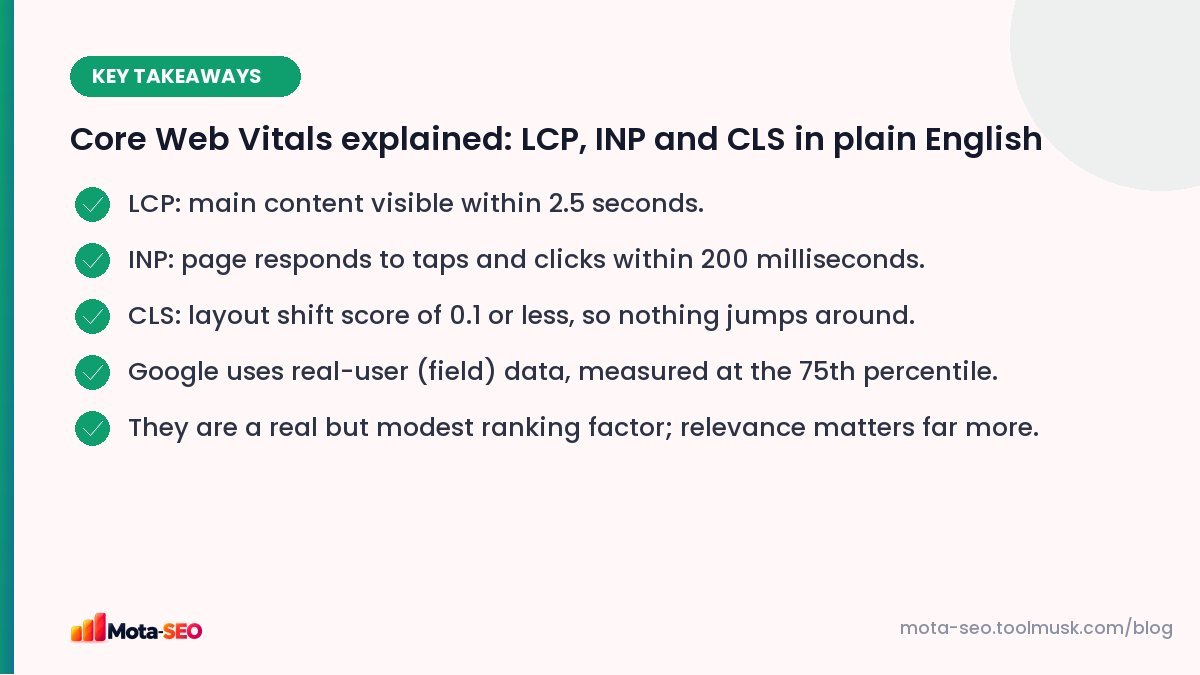
| LCP – Largest Contentful Paint | When the main content (largest image or text block) appears | ≤ 2.5 s | > 4 s |
| INP – Interaction to Next Paint | How quickly the page responds to taps, clicks and key presses | ≤ 200 ms | > 500 ms |
| CLS – Cumulative Layout Shift | How much content unexpectedly moves while loading | ≤ 0.1 | > 0.25 |
INP replaced the older First Input Delay (FID) metric in March 2024. If you read an older guide that mentions FID, the advice about responsiveness still applies, but INP is stricter because it looks at all interactions, not just the first.
Field data vs lab data
Field data comes from real Chrome users visiting your site (the Chrome UX Report). This is what Google uses for ranking, measured at the 75th percentile: your page passes if at least 75% of visits meet the "good" threshold.
Lab data comes from a test run in a simulated environment, like Lighthouse or our website speed test. It's great for debugging because it's repeatable and shows exactly what's slow, but it doesn't always match what real users experience.
Search Console's Core Web Vitals report shows field data grouped by similar URLs. Small sites may not have enough traffic for field data; then lab tests are your best guide.
LCP: how fast the main content appears
The LCP element is usually the hero image, a large banner, or the main heading. Common causes of slow LCP:
- Slow server response (high TTFB): cheap hosting, no caching, slow database queries.
- Huge images: a 2 MB hero photo. Resize and compress it; serve WebP or AVIF.
- Lazy-loading the hero image: never lazy-load the image at the top of the page.
- Render-blocking CSS and JavaScript that must load before anything shows.
- The LCP image discovered late, for example as a CSS background or inserted by JavaScript. Add
fetchpriority="high"to the hero image.
INP: how quickly the page responds
When someone taps a button and nothing happens for half a second, that's poor INP. It's almost always caused by JavaScript keeping the browser busy:
- heavy third-party scripts (chat widgets, multiple analytics and ad tags),
- large frameworks doing a lot of work on every interaction,
- long tasks: big chunks of JavaScript that run without a break.
Fixes: remove scripts you don't need, load non-essential ones later, break long tasks into smaller pieces, and avoid re-rendering large parts of the page on every click.
CLS: does the page jump around?
You go to tap a link, an ad loads above it, and you tap the ad instead. That's layout shift. Causes and fixes:
- Images without dimensions: add
widthandheightattributes (or CSS aspect-ratio) so space is reserved. - Ads, embeds and iframes without reserved space: give their containers a minimum height.
- Banners inserted at the top after load (cookie bars, promos): reserve space or overlay them at the bottom.
- Web fonts swapping and changing text size: use
font-displaywisely and similar fallback fonts.
How much do they affect rankings?
Core Web Vitals are a confirmed ranking signal, but a modest one. Google has said a page with great content but average vitals can still outrank a fast page with weak content. Think of them as a tie-breaker between similarly relevant pages, and as a strong factor for keeping visitors who've already arrived.
That said, slow pages lose visitors and sales regardless of rankings, so improvements usually pay off in conversions even when positions don't move.
Where to start
- Open Search Console → Core Web Vitals and note which metric fails, on mobile or desktop.
- Test an example URL from each failing group in the speed test.
- Fix the biggest cause first: usually images for LCP, third-party scripts for INP, missing image dimensions for CLS.
- Wait about 28 days for field data to update, then check again.
For a prioritised list of speed fixes, see how to speed up a slow website.
Frequently asked questions
What are good Core Web Vitals scores?
LCP of 2.5 seconds or less, INP of 200 milliseconds or less, and CLS of 0.1 or less, measured at the 75th percentile of real visits.
What replaced First Input Delay?
Interaction to Next Paint (INP) replaced FID as a Core Web Vital in March 2024. It measures responsiveness across all interactions on a page.
Why do my lab scores differ from Search Console?
Search Console uses field data from real users on many devices and networks. Lab tools run one simulated test. Use lab data to debug and field data to judge results.
How long until Core Web Vitals fixes show in Search Console?
Field data covers the previous 28 days, so improvements take up to about four weeks to be fully reflected.

Written by the Mota-SEO team
We build free SEO and website tools. Our guides are practical, written for small teams, and checked against Google's own documentation.


Comments 0