SEO for AI answers: how to stay visible when Google summarises
AI summaries now answer many simple questions before anyone clicks. That changes which pages earn traffic, but the fundamentals have not moved as much as the headlines suggest. Here is what to do, and what to ignore.
Search a simple question in Google today and there's a fair chance you'll see an AI-written summary at the top, before the usual list of links. Chat assistants answer questions people used to type into search engines. Understandably, a lot of site owners are asking whether SEO still matters.
It does, but the kind of content that earns visits is shifting. This guide is deliberately practical: what's changed, what hasn't, and what we'd do on a small site.
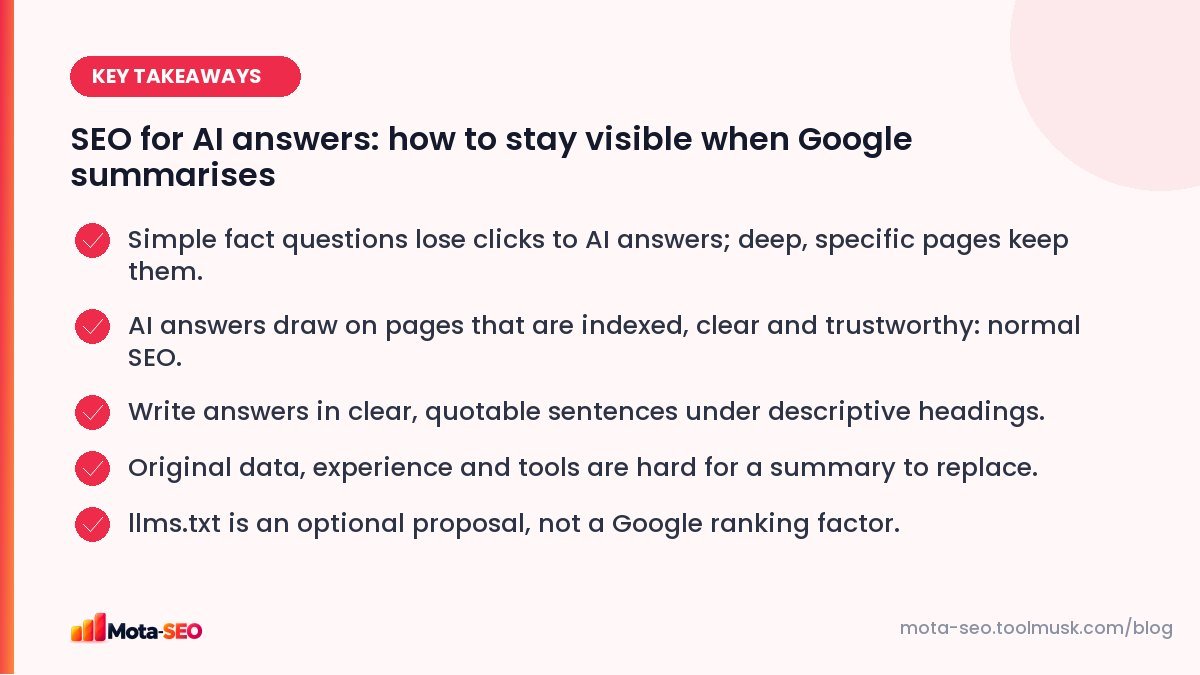
Key takeaways from this guide
What actually changed
For questions with short, settled answers ("how many grams in a tola", "what does 301 mean") the summary often answers well enough that people don't click. Those pages were always low-value traffic: people arrive, read one line and leave. That traffic is shrinking.
For questions that need judgement, comparison, local knowledge, a tool, or a long explanation, people still click, and often the summary itself links to the sources it drew from.
What didn't change
AI features in Google are built on top of Google's search index. To be used as a source, a page still has to be crawlable, indexed, and judged relevant and reliable. In other words: the same fundamentals as before. Google's own guidance for site owners on AI features says there's no special markup or trick required.
So the technical basics still apply: a page blocked in robots.txt, buried without internal links, or slow and broken on mobile isn't going to be cited by anything.
What to do: six practical changes
1. Lead with a clear answer, then go deeper
Put a direct, one- or two-sentence answer near the top of each section, then the detail. This helps human skimmers, and it makes your page easy to quote accurately. Use headings that state the question or the point, not clever puns.
2. Add what a summary can't
This is what Google's guidance calls experience and expertise; see E-E-A-T explained.
A summary can restate common knowledge. It can't easily replace:
- your own data ("we tested 30 hosting plans; here are the response times"),
- first-hand experience with photos and specifics,
- local knowledge (prices in your city, regulations in your state),
- interactive tools and calculators,
- opinions with reasons, from someone qualified to have them.
The more of this a page has, the more reason someone has to click through.
3. Move up the funnel and down the funnel
Pages that compare options, help people choose, or help them act ("how to file X for a private limited company in Karnataka") hold up better than generic definitions. So do pages for people ready to buy: service pages, product pages, booking pages.
4. Make your brand something people search for
When someone asks an assistant for "a free SEO checker", the answer tends to mention tools people talk about. Being mentioned, linked and searched for by name matters more than ever. That's old-fashioned reputation building: be useful, get talked about.
5. Keep structured data accurate
Schema markup helps search engines understand what a page is: a product with a price, a local business with opening hours, an article with a date. It's not an AI switch, but accurate data is easier for every system to use. Our schema guide covers the types worth adding, and the schema markup generator writes the code.
6. Watch the right numbers
Impressions can rise while clicks fall for simple queries. Track conversions (leads, sign-ups, sales) from organic search, not just sessions. A page that loses half its "what is" traffic but keeps all its enquiries hasn't really lost anything.
What about llms.txt?
llms.txt is a proposed standard: a plain-text file at the root of your site that gives AI tools a short, curated map of your most useful content, usually as links with one-line descriptions. Some developer documentation sites publish one so assistants can find their docs easily.
Be clear about what it is not: it is not part of Google Search, it doesn't control crawling (that's robots.txt), and adding one won't change your rankings. It's cheap to create and may help some tools, so there's little harm in having one. Our llms.txt generator builds the file from a list of your pages.
Should you block AI crawlers?
Some AI companies publish user-agent names you can block in robots.txt if you don't want your content used to train their models. That's a business decision about your content, not an SEO one. Note that blocking Googlebot itself removes you from Google Search entirely, so don't confuse the two. Test any robots.txt change with the robots.txt tester before publishing it.
The bottom line
Thin pages that restate what everyone knows were already struggling; AI answers accelerate that. Pages built on real experience, specific detail and genuine usefulness keep earning visits. If you've been doing SEO properly, keep going. If you've been publishing generic content to target keywords, now is the time to stop.
Frequently asked questions
Do AI answers mean SEO is dead?
No. AI features in search rely on indexed, relevant and trustworthy pages, which is exactly what SEO is about. What is declining is traffic to thin pages that only answer simple facts.
How do I get my site cited in AI answers?
There is no special markup. Make sure the page is indexed, answers the question clearly near the top of a well-headed section, and offers reliable, specific information. Being a recognised source in your field helps.
Does Google use llms.txt?
Google has not said it uses llms.txt for Search. It is an optional proposal some AI tools may read. It does not replace robots.txt and does not affect Google rankings.
Should I write content with AI tools?
Google judges content by its quality and helpfulness, not by how it was produced. AI can help with drafts, but pages still need real expertise, accurate facts and original value that a reader cannot get elsewhere.

Written by the Mota-SEO team
We build free SEO and website tools. Our guides are practical, written for small teams, and checked against Google's own documentation.
Comments 0