XML sitemaps: what to include, what to leave out, and common errors
A sitemap is a list of the pages you want search engines to find. Simple in theory, but most sitemaps we check include redirects, 404s or noindexed pages. Here is how to build a clean one.

An XML sitemap is a file that lists the URLs on your site you'd like search engines to crawl and index. It doesn't guarantee indexing, and a well-linked small site can be crawled fine without one. But it helps Google find new and updated pages faster, and in Search Console it gives you a clean way to see which of your important pages are actually indexed.
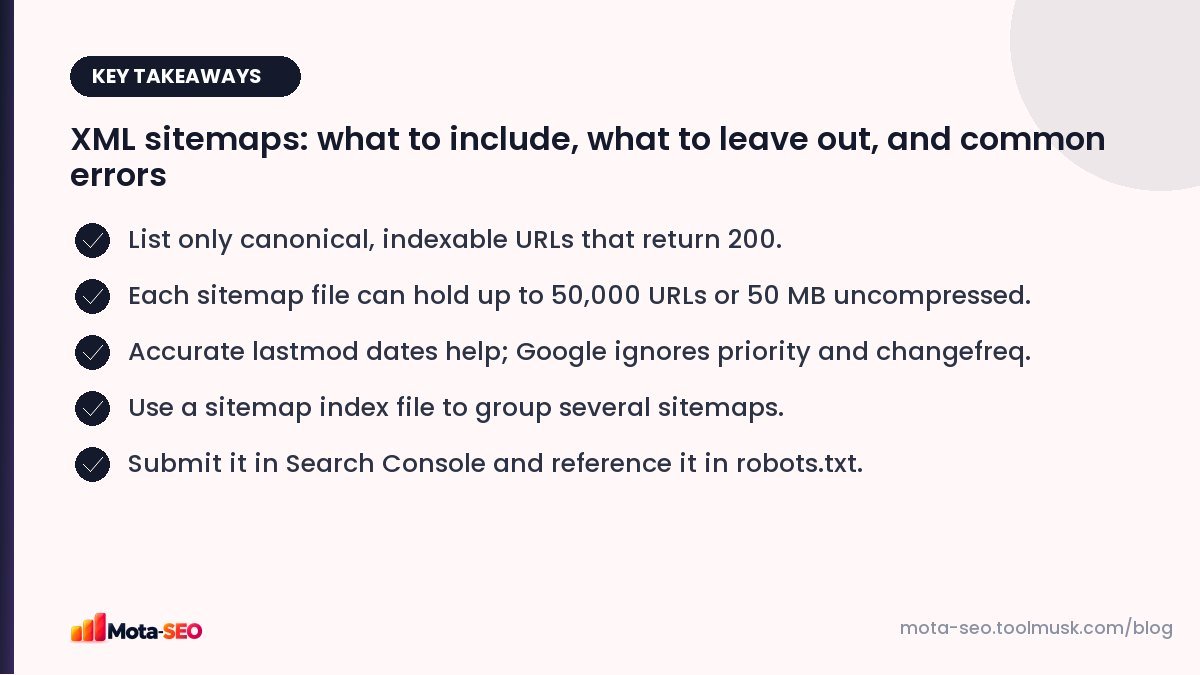
Key takeaways from this guide
What a sitemap looks like
<?xml version="1.0" encoding="UTF-8"?>
<urlset xmlns="http://www.sitemaps.org/schemas/sitemap/0.9">
  <url>
    <loc>https://example.com/services/gst-registration</loc>
    <lastmod>2026-09-28</lastmod>
  </url>
  <url>
    <loc>https://example.com/blog/gst-for-freelancers</loc>
    <lastmod>2026-10-02</lastmod>
  </url>
</urlset>
Each <url> has a required <loc> (the full, absolute URL) and an optional <lastmod>.
What to include
Only URLs that you want in search results and that meet all of these:
- return a 200 OK status (not a redirect, not a 404),
- are the canonical version (not a duplicate pointing elsewhere),
- are indexable (no noindex tag, not blocked in robots.txt),
- use your preferred protocol and host (https, www or not, consistently).
What to leave out
- Redirected URLs and old addresses.
- Pages with
noindex. - Filtered, sorted or parameter URLs.
- Login, cart, checkout and account pages.
- Thin archives you've chosen not to index (tags, date archives).
- Staging or test URLs.
Every wrong URL in a sitemap sends a mixed signal: "please index this" and "don't index this" at the same time. Google copes, but your Search Console reports become noisy and less useful.
lastmod, priority and changefreq
| Tag | Does Google use it? |
|---|---|
| lastmod | Yes, if it's consistently accurate. Update it only when the page's main content really changes, not on every page load. |
| priority | No, Google ignores it. |
| changefreq | No, Google ignores it. |
A common mistake is a sitemap that sets every lastmod to today's date. Google learns that the dates are meaningless and stops trusting them.
Size limits and sitemap indexes
A single sitemap file can contain up to 50,000 URLs and be up to 50 MB uncompressed. Larger sites split URLs into several sitemaps (for example, one for products, one for categories, one for blog posts) and list them in a sitemap index:
<sitemapindex xmlns="http://www.sitemaps.org/schemas/sitemap/0.9">
  <sitemap><loc>https://example.com/sitemap-products.xml</loc></sitemap>
  <sitemap><loc>https://example.com/sitemap-blog.xml</loc></sitemap>
</sitemapindex>
Splitting by type is useful even on smaller sites, because Search Console then shows indexing for each section separately.
Image, video and news sitemaps
There are extensions for images, videos and news articles. Image sitemaps can help Google discover images that are loaded in ways it might miss. Most sites don't need these; standard HTML images with good alt text are found anyway.
How to create one
- WordPress: built in at
/wp-sitemap.xml, or generated by your SEO plugin. - Shopify, Wix and most builders: generated automatically at
/sitemap.xml. - Custom or static sites: generate it from your list of URLs. Our XML sitemap generator builds a valid file from pasted URLs.
Dynamic sites should generate the sitemap automatically from the database so it never goes stale.
Submitting and monitoring
- Add
Sitemap: https://example.com/sitemap.xmlto your robots.txt. - Submit it in Google Search Console under Indexing → Sitemaps.
- Check back in a few days: status should be "Success" and discovered URLs should match what you expect.
- In the Pages report, filter by sitemap to see which submitted URLs aren't indexed and why.
Common errors and fixes
| Error | Fix |
|---|---|
| Couldn't fetch | The URL is wrong, returns an error, or is blocked. Open it in a browser and check robots.txt. |
| Invalid XML / parsing error | Usually an unescaped & in a URL or stray output before <?xml. Escape & as &. |
| URLs with redirects | Replace with final URLs. |
| Submitted URL marked noindex | Remove from the sitemap or remove the noindex, whichever is right. |
| HTTP URLs on an HTTPS site | Regenerate with the correct protocol. |
Our sitemap checker fetches your sitemap, validates it and checks the status code of the listed URLs, so you can spot redirects and 404s before Google does.
Frequently asked questions
Does every website need an XML sitemap?
Not strictly; small, well-linked sites get crawled without one. But a sitemap helps new pages get found faster and makes indexing problems easier to spot in Search Console.
How many URLs can a sitemap have?
Up to 50,000 URLs and 50 MB uncompressed per file. Larger sites use several sitemaps listed in a sitemap index file.
Does Google use the priority tag in sitemaps?
No. Google ignores priority and changefreq. It does use lastmod when the dates are consistently accurate.
Should I include images in my sitemap?
Usually not necessary. Images in normal HTML with alt text are discovered by crawling. Image sitemaps help when images load in ways crawlers might miss.

Written by the Mota-SEO team
We build free SEO and website tools. Our guides are practical, written for small teams, and checked against Google's own documentation.


Comments 0