The SEO checklist for a new website: before and after launch
Most SEO damage on new sites happens in the first week: a forgotten noindex, a staging robots.txt, old URLs left without redirects. Here is the checklist we use, split into before launch, launch day and the first month.
A new website is the one moment you can get SEO right from the start, without fixing years of old habits. It's also when the most painful mistakes happen. A developer leaves the staging site's "discourage search engines" switch on, nobody notices for two months, and the shiny new site sits invisible while the old one has already been switched off.
This checklist is split into three parts: what to do before launch, on launch day, and in the first month. Print it, tick it, keep it for the next project.
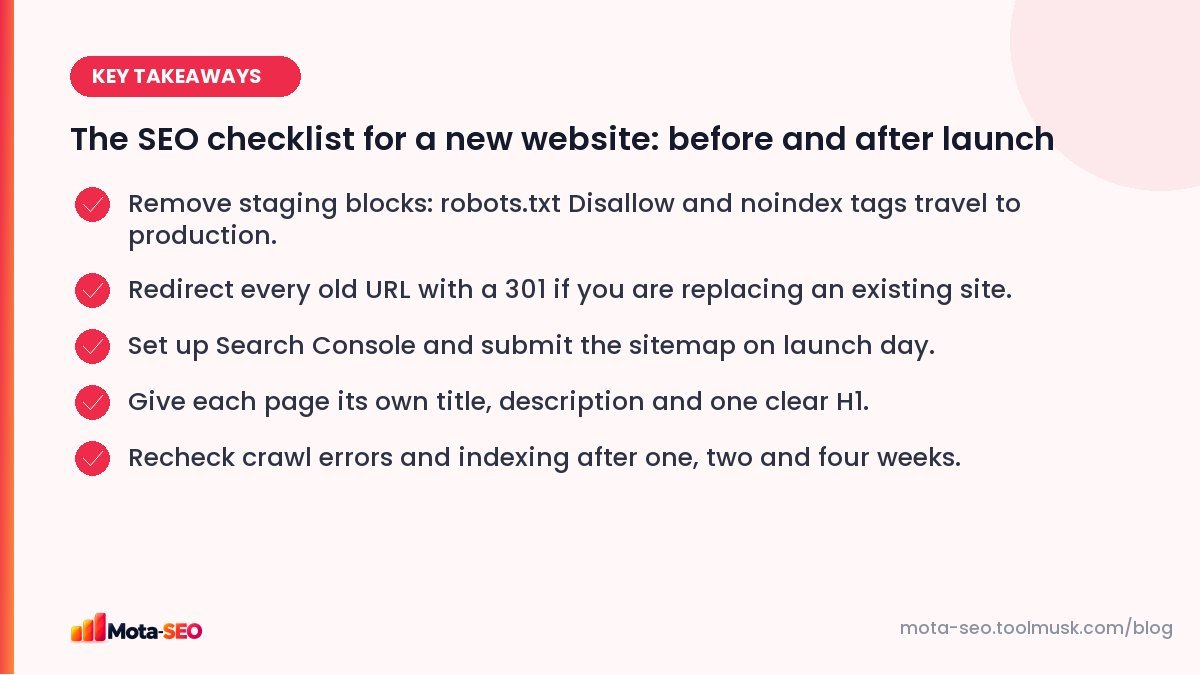
Key takeaways from this guide
Before launch: get the structure right
Plan the pages around what people search
Before anyone designs a menu, list the services, products or topics people actually look for, and give each important one its own page. A dentist with a single "Services" page listing twelve treatments will lose to a competitor with a proper page for each of root canals, braces and implants. Our free keyword research guide shows how to build that list without paid tools.
Choose clean, permanent URLs
Short, lowercase, hyphenated, and readable: /services/root-canal-treatment rather than /index.php?page=12&cat=3. Decide now, because changing URLs later means redirects and a temporary dip. You can turn any title into a clean slug with the text to slug converter. More rules in our URL structure guide.
Write unique titles and descriptions for every page
Templates are the enemy here. Many themes set every title to the site name, or every description to the same tagline. Each page needs its own. The meta title generator and meta description generator help when you're facing forty pages at once.
One H1 per page, then a logical outline
The H1 should say what the page is about. H2s split it into sections, H3s sit under H2s. Designers sometimes use heading tags just to make text big; check the final templates with the heading checker.
Map old URLs to new ones (if you are replacing a site)
This is the step most often skipped, and the one that costs the most. Export every URL of the old site: from its sitemap, from Search Console, from analytics. Then match each one to the closest new page in a spreadsheet. Every old URL that gets traffic or has links needs a 301 redirect on launch day. The full process is in our site migration guide.
Test speed and mobile on the staging site
Fixing a slow theme before launch is far cheaper than after. Run the key templates (home, a category, a product or service page, a blog post) through the website speed test. If the largest image is a 3 MB photo straight from a camera, fix that now.
Launch day: the twenty-minute safety check
Do these the moment the new site goes live, in this order.
- robots.txt. Open
yourdomain.com/robots.txt. If you seeDisallow: /on its own, the whole site is blocked. Remove it. Confirm with the robots.txt tester. - noindex. View the source of the homepage and a couple of inner pages and search for
noindex. In WordPress, check Settings → Reading → "Discourage search engines" is unticked. - HTTPS. Make sure
http://andwwwversions all redirect to one final address, and that the certificate is valid. The SSL checker and redirect checker take a minute. Our HTTPS checklist covers the details. - Old URLs. Test ten of your most important old URLs. Each should 301 to the right new page, in one hop.
- Sitemap. Check
/sitemap.xmlloads and only lists live, indexable URLs. - Search Console. Verify the property (the domain property covers all versions), submit the sitemap, and use URL inspection on the homepage to request indexing.
- Analytics. Confirm the tracking code fires on every page, so you have a clean "before and after".
A tip from experience: launch early in the week, not on Friday evening. If something breaks, you want people around to fix it while Google is first recrawling the site.
The first month: watch, don't panic
Rankings often wobble after a launch or redesign while Google recrawls and reprocesses everything. That's normal. What you're looking for are signs of real problems.
Week 1
- Search Console → Pages: are pages being indexed? Any spike in "Not found (404)" or "Excluded by noindex"?
- Run a broken link check on the main pages. Links that pointed to old URLs inside your own content are a common leftover.
Week 2
- Compare organic traffic for your top ten old pages with their new equivalents.
- Check Core Web Vitals in Search Console once enough real-user data comes in.
Week 4
- Look at the queries report. Are you still getting impressions for your main phrases?
- Fix any redirect chains (old → older → new) so each old URL reaches its final page in one step.
The checklist in one place
| When | Task | Tool |
|---|---|---|
| Before | Unique titles and descriptions | Meta tags checker |
| Before | Heading structure | Heading checker |
| Before | Image alt text | Image alt checker |
| Launch | robots.txt not blocking | Robots.txt tester |
| Launch | Redirects in one hop | Redirect checker |
| Launch | Valid sitemap | Sitemap checker |
| Week 1 | Broken links | Broken link checker |
| Week 2 | Speed | Website speed test |
None of this is glamorous, but it's the difference between a launch that holds its traffic and one that loses half of it for a quarter. Spend the extra day.
Frequently asked questions
Should I block my new site from Google until it is finished?
Block the staging copy, not the live site. Use a password on the staging server (better than robots.txt), and make sure none of those blocks are copied to production on launch day.
How long does Google take to index a new website?
Often a few days to a few weeks. Submitting a sitemap in Search Console, requesting indexing for the homepage and getting a link from an existing site you own usually speeds it up.
Will a redesign hurt my rankings?
It can, if URLs change without redirects, content is removed, or the new templates hide text. With the same content and proper 301 redirects, most redesigns recover within a few weeks.
Do I need a sitemap for a small site?
Not strictly, if every page is well linked. But a sitemap costs nothing, helps Google find new pages faster, and lets you see indexing problems in Search Console, so we recommend one for every site.

Written by the Mota-SEO team
We build free SEO and website tools. Our guides are practical, written for small teams, and checked against Google's own documentation.



Comments 0