How to do an SEO audit in one afternoon (free tools only)
A full agency audit can run to eighty pages. Most sites do not need that. This four-hour version finds the problems that actually cost traffic and ends with a short list of fixes, in the right order.

An SEO audit has a reputation for being a huge, expensive document. Some sites need that. Most don't. If you run a site with fewer than a few thousand pages, you can find nearly everything that matters in an afternoon, using free tools and a spreadsheet.
Here's the exact order we follow. If you're new to SEO, read how Google ranks pages first; it explains why the order matters. It goes from "can Google even see this?" to "is it the best page for the search?", because there's no point polishing content on a page that isn't indexed.
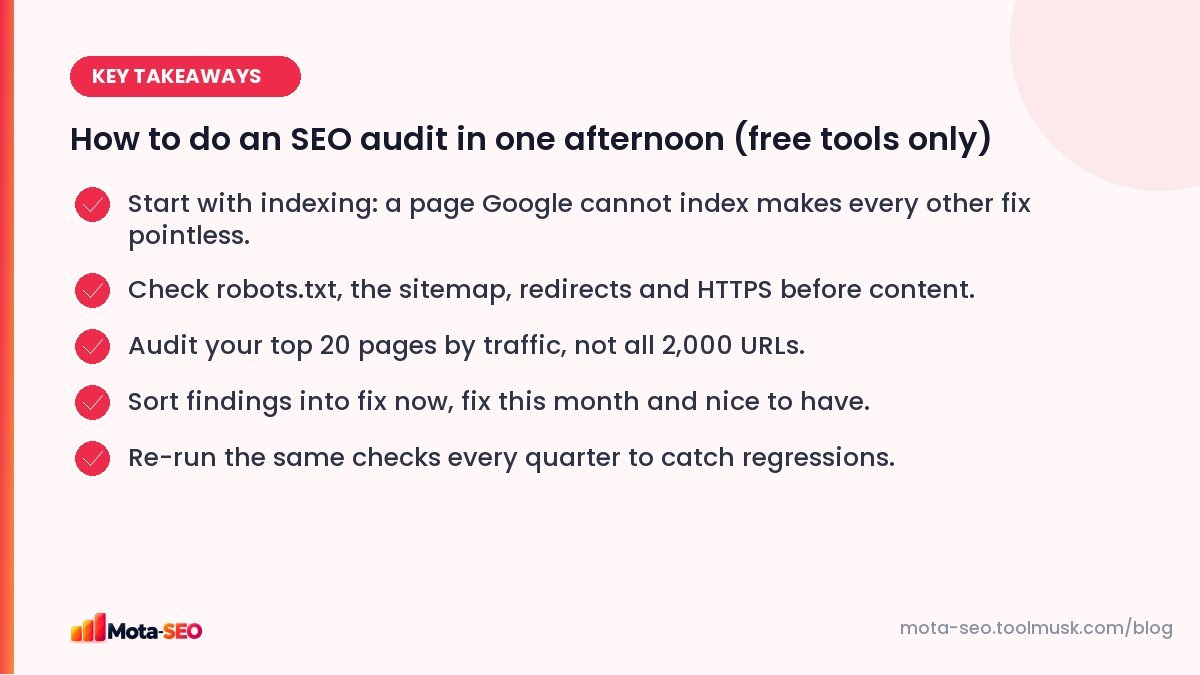
Key takeaways from this guide
Hour 1: can Google crawl and index the site?
Check the homepage first
Run your homepage through our free SEO audit. It checks the title, description, headings, HTTPS, robots, sitemap, speed basics and more in one pass, and flags anything obviously broken. Note the issues in your spreadsheet.
robots.txt
Open /robots.txt and test your key URLs with the robots.txt tester. You're looking for rules that block pages, CSS or JavaScript that Google needs. A surprising number of sites still block /wp-content/ or /assets/, which can stop Google rendering pages properly. Our robots.txt guide explains each rule.
XML sitemap
Run the sitemap checker. The sitemap should list only live pages that return 200 and that you want indexed. Redirected URLs, 404s and noindexed pages in the sitemap are common and easy to fix.
Search Console's Pages report
This is the single most useful screen in SEO. Look at the reasons pages aren't indexed. A few "Crawled – currently not indexed" are normal. Hundreds of them usually means thin or duplicate pages. "Excluded by noindex tag" on pages you want ranked is an emergency.
HTTPS and the preferred version
Test http://yourdomain.com, http://www.yourdomain.com and https://www.yourdomain.com in the redirect checker. All of them should land on one final URL in a single 301 hop. Check the certificate with the SSL checker while you're there.
Hour 2: on-page checks on your top 20 pages
Don't audit every URL by hand. Export the top 20 pages by clicks from Search Console (Performance → Pages) and check those. They earn most of your traffic, so problems there matter most.
For each page, record:
- Title: unique, around 50–60 characters, main topic near the start. Check with the meta tags checker.
- Meta description: written for humans, roughly 120–155 characters.
- H1: one, matching the page's topic. The heading checker shows the full outline.
- Canonical: points to itself (or deliberately elsewhere). Use the canonical URL checker.
- Images: descriptive alt text on meaningful images. The image alt checker lists the missing ones.
- Internal links in: how many other pages link here? Fewer than two is a warning sign.
A simple spreadsheet with one row per URL and a column per check makes patterns jump out. If eighteen of twenty pages share the same description, that's a template problem, fixed once.
Hour 3: speed, mobile and broken things
Speed
Test the homepage and one example of each template (category, product, article) in the website speed test. Don't chase a perfect score. Look at what's heavy: usually unoptimised images, too many scripts, or a slow server response. Our guide to speeding up a slow site lists fixes in priority order.
Mobile
Open each template on a real phone, not just a resized browser. Can you read the text? Tap the buttons? Does a pop-up cover the content? Then confirm with the mobile-friendly checker.
Broken links and redirect chains
Run the broken link checker on your main pages. Fix internal links pointing at 404s or at redirected URLs; link straight to the final address.
Hour 4: content and competition
Pick your three most important target searches. Google each one and compare your page honestly with the top three results:
- Is your page the same type (guide, list, product, service page)?
- Does it cover what they cover, and something they don't?
- Is it more recent, more specific, easier to read?
- Does it show real experience: your own photos, cases, numbers?
Write one or two sentences per page about what's missing. This part of the audit usually produces the most valuable work for the next quarter.
Turning findings into a plan
An audit nobody acts on is wasted. Sort every finding into three buckets:
| Bucket | Examples | When |
|---|---|---|
| Fix now | noindex on important pages, blocked crawling, broken redirects, expired SSL | This week |
| Fix this month | Duplicate titles, missing descriptions, slow templates, thin key pages | Next 30 days |
| Nice to have | Alt text on decorative images, minor heading order issues | When convenient |
Then put a date in the calendar three months from now to run the same audit again. Sites drift: plugins get updated, new pages go up without titles, someone changes a redirect. Catching that early is far easier than recovering lost traffic.
Frequently asked questions
How often should I do an SEO audit?
A light audit like this one every quarter, and a full one after big changes such as a redesign, a platform change or a domain move.
Do I need paid tools for an SEO audit?
Not for most small and medium sites. Google Search Console plus free checkers for robots.txt, sitemaps, redirects, meta tags and speed cover the important problems. Paid crawlers help on large sites with thousands of pages.
What is the most common problem found in SEO audits?
Very often: duplicate or missing titles and descriptions caused by templates, followed by pages left out of the index because of noindex tags, redirects or thin content.
Can an audit improve rankings by itself?
No, only the fixes do. The value of an audit is a short, ordered list of what to fix first.

Written by the Mota-SEO team
We build free SEO and website tools. Our guides are practical, written for small teams, and checked against Google's own documentation.



Comments 0