Updating old blog posts: a repeatable process that brings traffic back
Your old posts are often your best SEO opportunity. They already have history, links and rankings that slipped. Here is how to choose which ones to update, what to change, and how to measure whether it worked.

Most blogs keep publishing new posts while older ones quietly decay: statistics go stale, screenshots show old interfaces, competitors publish better versions, and rankings slide. Updating existing content is often faster and more effective than writing something new, because the page already has history, links and some trust.
Here's the process we use.
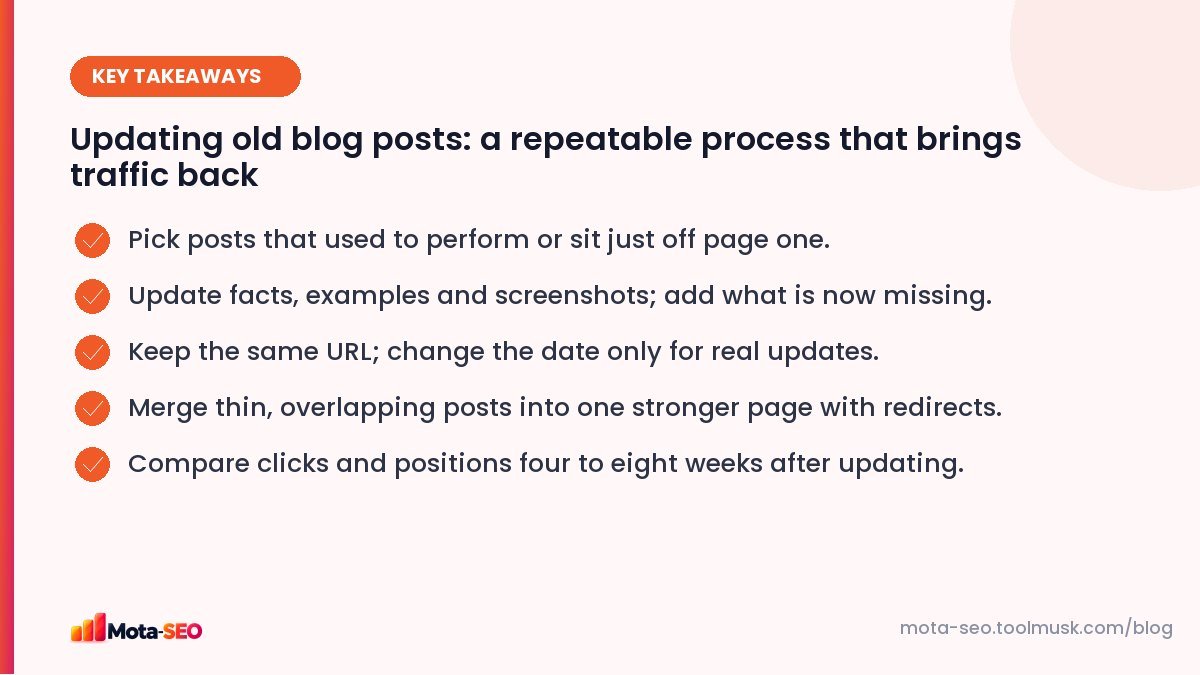
Key takeaways from this guide
Step 1: Choose which posts to update
In Search Console, open Performance → Pages, set the date range to the last 16 months, and compare the last three months with the same period a year earlier. Look for:
- Decliners: posts that lost a lot of clicks.
- Near misses: posts with average positions of 5–20 for valuable queries.
- Underperformers with impressions: lots of impressions, low click-through rate.
- Business-critical topics: posts about services you sell, even if traffic is modest.
Pick five to start. Updating a few well beats tweaking fifty.
Step 2: Find out why each one slipped
Search the post's main query and compare your page with the current top three:
- Is their information more recent?
- Do they cover subtopics you skip?
- Is their format better (tables, steps, images)?
- Has the intent shifted? Read our search intent guide.
Also check the queries that page gets in Search Console; they often reveal questions you never answered directly.
Step 3: Make real improvements
- Update facts and numbers: prices, statistics, laws, product features, tool interfaces.
- Add missing sections for the questions people now search.
- Add original value: your own results, photos, examples, a short case study.
- Cut what's outdated or padded. Shorter and current beats longer and stale.
- Improve the structure: clearer headings, a table, a summary at the top. Check headings with the heading checker.
- Refresh the title and description if CTR is low; preview them with the SERP snippet preview.
- Fix links: replace dead external links and add internal links to newer related posts; run the broken link checker.
- Update images, compressed properly, with good alt text.
Step 4: Handle the URL and date honestly
Keep the URL. It carries the page's history and links. If the URL contains a year (/best-laptops-2023), consider moving to a timeless URL with a 301 redirect, but only if you'll keep updating it.
Update the date only for meaningful changes. Showing "Updated: October 2026" is helpful when the content really changed. Changing the date after fixing a typo is misleading, and Google says not to do it. Many sites show both the original publish date and the last updated date.
Step 5: Merge overlapping posts
Older blogs often have several thin posts on nearly the same topic: "10 SEO tips", "SEO tips for beginners", "simple SEO tips 2022". They compete with each other. Combine the best parts into one strong guide, 301 redirect the others to it, and update internal links. Our redirects guide explains how.
Step 6: Request recrawl and promote
Use URL inspection in Search Console to request indexing for the updated page. Link to it from a couple of relevant recent posts and from your homepage or hub page if it's important. Share it again on your channels; it's effectively new content.
Step 7: Measure
Note the update date. After four to eight weeks, compare clicks, impressions and average position with the four to eight weeks before. Keep a simple log:
| Post | Updated | What changed | Clicks before | Clicks after |
|---|---|---|---|---|
| /blog/gst-for-freelancers | 12 Sep | New thresholds, FAQ, examples | 320/month | 540/month |
(The row above is an example of the format, not real data.) Over time, the log tells you which kinds of updates work best on your site.
What not to do when updating
- Don't just add keywords. Sprinkling the target phrase into an old post ten more times doesn't make it better, and can make it worse. Our piece on why keyword density is a myth explains what to look at instead.
- Don't remove sections that still rank. Check which queries the page gets before cutting anything; a paragraph you think is outdated may be the one bringing traffic.
- Don't rewrite everything at once on a page that's still doing well. Improve it in steps and watch the numbers.
- Don't change the URL unless there's a strong reason, and always redirect if you do.
Make it a routine
Put content updates on the calendar: for example, one week each quarter. A blog with fifty well-maintained posts usually outperforms one with three hundred neglected ones. If a post is beyond saving, with no traffic, no links and an obsolete topic, it's fine to delete it (with a redirect if anything points to it).
Frequently asked questions
Does updating old content help SEO?
Often, yes. Improving accuracy, depth and usefulness can recover lost rankings and win new queries, especially for posts that already have history and links.
Should I change the publish date when I update a post?
Show an updated date only when the content changed meaningfully. Changing dates for trivial edits is misleading.
Should I change the URL when updating a post?
Usually not. Keeping the URL preserves its history and links. If you must change it, add a 301 redirect from the old URL.
How often should I update blog posts?
Review important posts at least once a year, and sooner for fast-changing topics like prices, laws or software.

Written by the Mota-SEO team
We build free SEO and website tools. Our guides are practical, written for small teams, and checked against Google's own documentation.



Comments 0