Page weight and HTTP requests: how heavy is too heavy?
How many megabytes should a web page weigh? There is no single rule, but there are sensible budgets. Here is how to measure your pages, what usually makes them heavy, and targets that work on mobile data in India.
Page weight is the total size of everything a browser downloads to show a page: HTML, CSS, JavaScript, images, fonts, videos and third-party files. HTTP requests are the number of separate files fetched. Both have grown steadily for years, and both directly affect how long a page takes on a real phone.
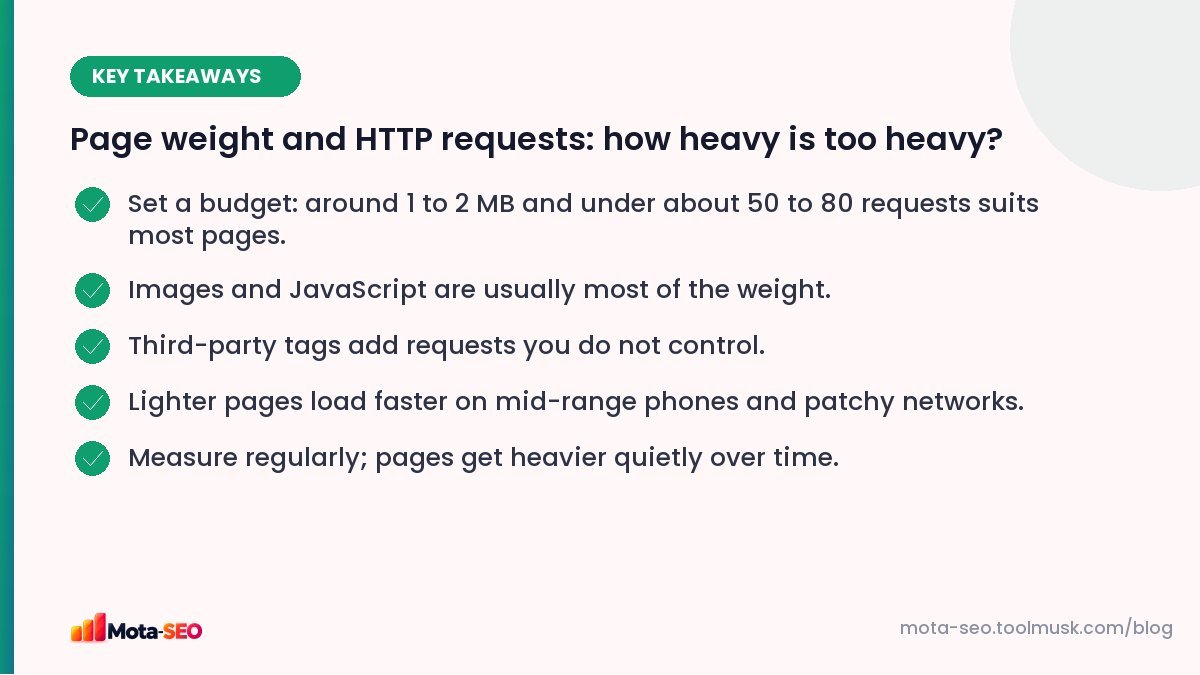
Key takeaways from this guide
Why it matters more on mobile
On fast office Wi-Fi, a 5 MB page might feel fine. On a mid-range Android phone on 4G with a weak signal, the same page can take many seconds, and data costs money for some visitors. The phone's processor also has to unpack and run everything downloaded, which is where heavy JavaScript hurts most.
Sensible budgets
There's no official limit, but these targets work well for most sites:
| Page type | Total weight | Requests |
|---|---|---|
| Article or blog post | Under 1–1.5 MB | Under ~50 |
| Service or landing page | Under 1.5–2 MB | Under ~60 |
| Home page with imagery | Under 2–2.5 MB | Under ~80 |
| Product listing (many thumbnails, lazy-loaded) | Initial load under ~2 MB | Under ~80 initially |
Treat these as a starting point. A photography portfolio will be heavier; a documentation page should be much lighter.
How to measure
- Our page size checker reports the size of a page.
- The website speed test shows total weight, request count and the largest files.
- In Chrome, open DevTools → Network, tick "Disable cache", reload, and look at the totals at the bottom. Sort by size to find the biggest files.
What usually makes pages heavy
Images
Uncompressed photos, images larger than displayed, sliders that load ten big images up front. Usually the biggest share; see our image optimisation guide.
JavaScript
Themes and page builders loading their full libraries on every page, multiple versions of jQuery, analytics plus tag manager plus heatmap plus chat. JavaScript is also the most expensive per byte, because it has to run.
Video
Autoplaying background videos can be several megabytes. Use a poster image and load the video only on tap, or embed with a lightweight facade.
Fonts
Four font families in six weights each, plus an icon font used for three icons. Trim to what's needed; use inline SVG for a handful of icons.
Third-party embeds
Social feeds, maps, review widgets and ad networks each bring their own scripts, styles and images, often dozens of requests you can't control.
How to trim
- Start with the five largest files. Fixing them usually beats fixing fifty small ones.
- Lazy-load below-the-fold images and embeds. A map at the bottom of a contact page doesn't need to load until someone scrolls to it.
- Load scripts only where needed. A form plugin's scripts belong on the contact page, not every page.
- Replace heavy embeds with facades: a thumbnail that becomes a YouTube player on click.
- Audit third-party tags quarterly. Marketing tools get added and forgotten.
- Minify and compress text files. See our minification guide.
Do requests still matter with HTTP/2?
Less than they used to. HTTP/2 and HTTP/3 can download many files over one connection in parallel, so twenty small files aren't the disaster they were in the HTTP/1 era. But each third-party domain still needs its own connection setup, and each script still has to run. Fewer, lighter files remain faster.
Reading a network waterfall in five minutes
The Network tab in Chrome DevTools (or the request list in a speed test) shows every file in the order it loaded. You don't need to understand every column. Look for:
- The first row (the HTML document): if it takes more than about 600 ms before any data arrives, the server is slow. Caching or better hosting helps.
- Long bars early on: large CSS or JavaScript files that block the page from showing. These are candidates for trimming or deferring.
- Many rows from other domains: each third-party service adds connections. Group them by domain and ask whether each one is still needed.
- Big images near the top: the usual cause of a slow main content load.
Throttle the connection to "Fast 4G" or "Slow 4G" in DevTools while you test. Pages behave very differently on a phone network, and that's how Google sees your site too: it indexes the mobile version, as explained in our mobile-first indexing checklist.
Keep it from creeping back
Pages tend to get heavier quietly: a new banner, a new tracking pixel, a new plugin. Add a monthly check of your top pages to your routine, and treat your budget like a real budget: something new goes in, something else comes out.
Lighter pages also help your Core Web Vitals and your crawl efficiency. For the full set of speed fixes, see how to speed up a slow website.
Frequently asked questions
What is a good page size for a website?
For most pages, under about 1 to 2 MB in total. Articles can often be under 1 MB; image-heavy home pages may be slightly more.
How many HTTP requests is too many?
There is no fixed limit, but well-built pages usually need fewer than 50 to 80 requests. Many third-party domains add the most overhead.
Does page size affect SEO?
Indirectly. Heavier pages tend to load slower, which affects page experience and visitor behaviour. Google does not rank by page size itself.
How do I check my page size?
Use a page size checker or speed test, or open Chrome DevTools, go to the Network tab, disable cache and reload the page to see total transferred size and requests.

Written by the Mota-SEO team
We build free SEO and website tools. Our guides are practical, written for small teams, and checked against Google's own documentation.


Comments 0