Minify CSS, JavaScript and HTML: does it still help?
Minifying code removes the spaces, comments and long names browsers do not need. It is a small but free win, and it matters most on JavaScript. Here is how much it saves and how to do it without breaking anything.
Minification is the process of removing everything from code that browsers don't need: spaces, line breaks, comments, and in JavaScript, long variable names. The code works exactly the same; it's just smaller.
Speed tests often flag "Minify CSS" or "Minify JavaScript". Is it worth the effort? Usually yes, because it's nearly free. But it's rarely the fix that transforms a slow site.
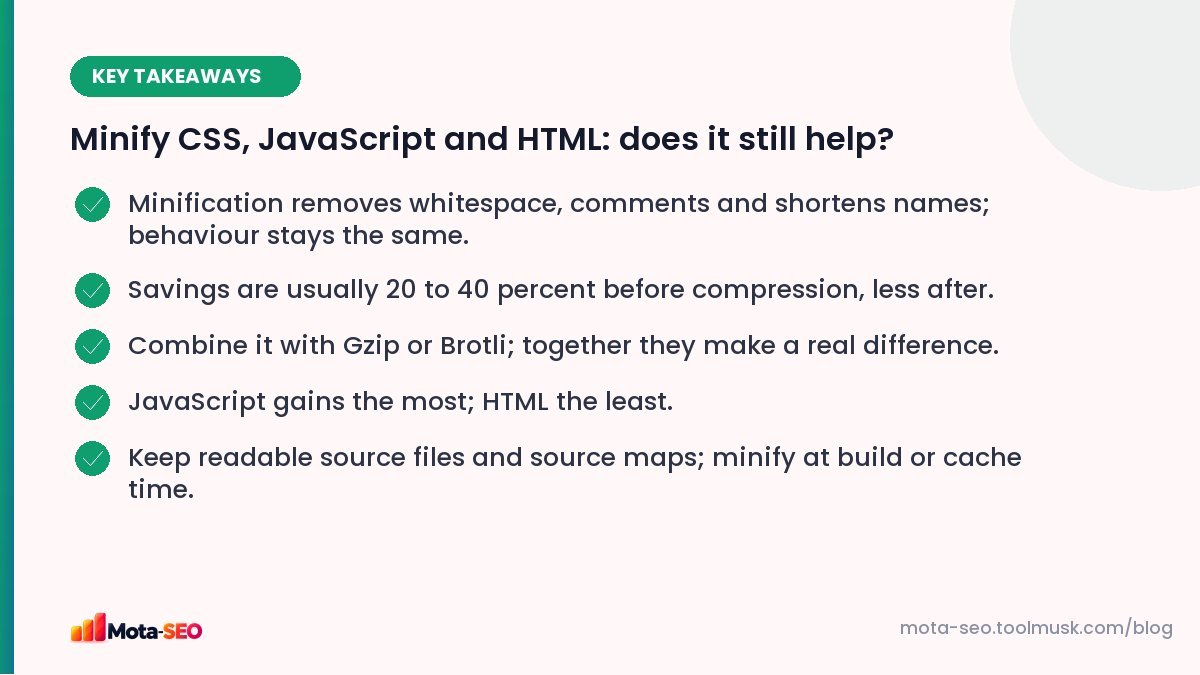
Key takeaways from this guide
What minification looks like
Before:
/* Main button styles */
.button-primary {
    background-color: #ef2b4b;
    padding: 12px 24px;
    border-radius: 8px;
}
After:
.button-primary{background-color:#ef2b4b;padding:12px 24px;border-radius:8px}For JavaScript, minifiers also rename local variables (totalPriceWithTax becomes a) and remove dead code, which is why JS usually shrinks the most.
How much does it save?
Typical savings before compression:
| File type | Typical reduction from minifying |
|---|---|
| JavaScript | 30–60% |
| CSS | 15–30% |
| HTML | 5–15% |
But servers also compress text files with Gzip or Brotli, which already removes much of the repetition. After compression, the extra benefit of minification is smaller, often in the range of 5–15% of the compressed size. On a 300 KB JavaScript bundle that's still worth having; on a 5 KB CSS file, it's a rounding error.
So: minify, but make sure compression is on first. Check the content-encoding response header with our HTTP headers checker; it should say gzip or br.
Why JavaScript size matters more than bytes suggest
A 200 KB image and 200 KB of JavaScript aren't equal. The browser just displays the image, but it has to parse, compile and run the JavaScript, which keeps the main thread busy and can make the page slow to respond to taps. That's why removing unused JavaScript usually helps responsiveness (INP) much more than minifying what's left. See our Core Web Vitals guide.
How to minify
WordPress
Most caching and performance plugins have minify options for CSS, JS and HTML. Turn them on one at a time and test the site after each: JavaScript minification and combining can occasionally break sliders, forms or menus.
Custom sites
Build tools such as Vite, webpack or esbuild minify automatically in production builds. Laravel Mix and similar tools do too. Keep your source files readable and let the build produce the minified versions.
One-off files
For a quick job, paste code into our CSS minifier, JS minifier or HTML minifier. When you need to read minified code from someone else's site, the CSS beautifier and JavaScript formatter reverse the process.
Good practices
- Never edit minified files directly. Edit the source and rebuild.
- Use source maps in development so errors point to readable code.
- Version your files (
app.min.js?v=42or a hash in the name) so browsers fetch the new version after changes, then cache them for a long time. - Combine carefully. With HTTP/2 and HTTP/3, many small files are less of a problem than they used to be, and bundling everything into one huge file can make caching worse.
- Remove before you minify. Unused CSS from a heavy theme or a library you don't use any more is a bigger saving than minifying it.
How to check whether your files are already minified
- Open your page, press
Ctrl+Uto view the source, and click a linked.cssor.jsfile. - If you see neatly indented code with comments, it isn't minified. If it's one long, dense line, it is.
- Check the response headers of the same file with the HTTP headers checker:
content-encoding: brorgzipmeans compression is on.
On WordPress, this is usually handled by the caching plugin you set up on day one; our WordPress first-hour settings guide covers choosing one. If both minification and compression are already in place, your time is better spent elsewhere.
Is HTML minification worth it?
The savings are small and compression already does most of the work. It's fine to enable if your caching plugin does it safely. Be careful with minifiers that remove whitespace inside <pre> blocks or inline scripts; test pages with code samples and forms afterwards.
The bottom line
Minification is housekeeping: switch it on once, verify nothing broke, and move on. If your pages are slow, the bigger wins are almost always images, caching, hosting and third-party scripts; our list of twelve speed fixes puts them in order.
Frequently asked questions
Does minifying CSS and JS improve SEO?
Indirectly, by making pages a little faster. It is a small improvement compared with optimising images, caching and removing unnecessary scripts.
Is minification the same as compression?
No. Minification rewrites code to be smaller. Compression, like Gzip or Brotli, encodes the file for transfer. Using both gives the best result.
Can minifying JavaScript break my site?
It can occasionally, especially when combining files. Enable it step by step and test forms, menus and sliders afterwards.
Should I minify HTML?
It is safe to do through a reliable plugin or build step, but the savings are small because compression already handles most of the whitespace.

Written by the Mota-SEO team
We build free SEO and website tools. Our guides are practical, written for small teams, and checked against Google's own documentation.


Comments 0