Readability and SEO: how to write pages people actually finish
Most web visitors skim. Pages that are easy to scan and understand keep them reading, answer their question and convert better. Here is how to make any page more readable, with examples.
People don't read web pages the way they read books. They arrive with a question, scan for the answer, and leave the moment the page feels like hard work. Readability is about removing that friction.
Google doesn't rank pages by a readability score. But it does try to rank pages that satisfy searchers, and a page nobody can get through doesn't satisfy anyone. Readable pages also convert better, which is usually the point of having them.
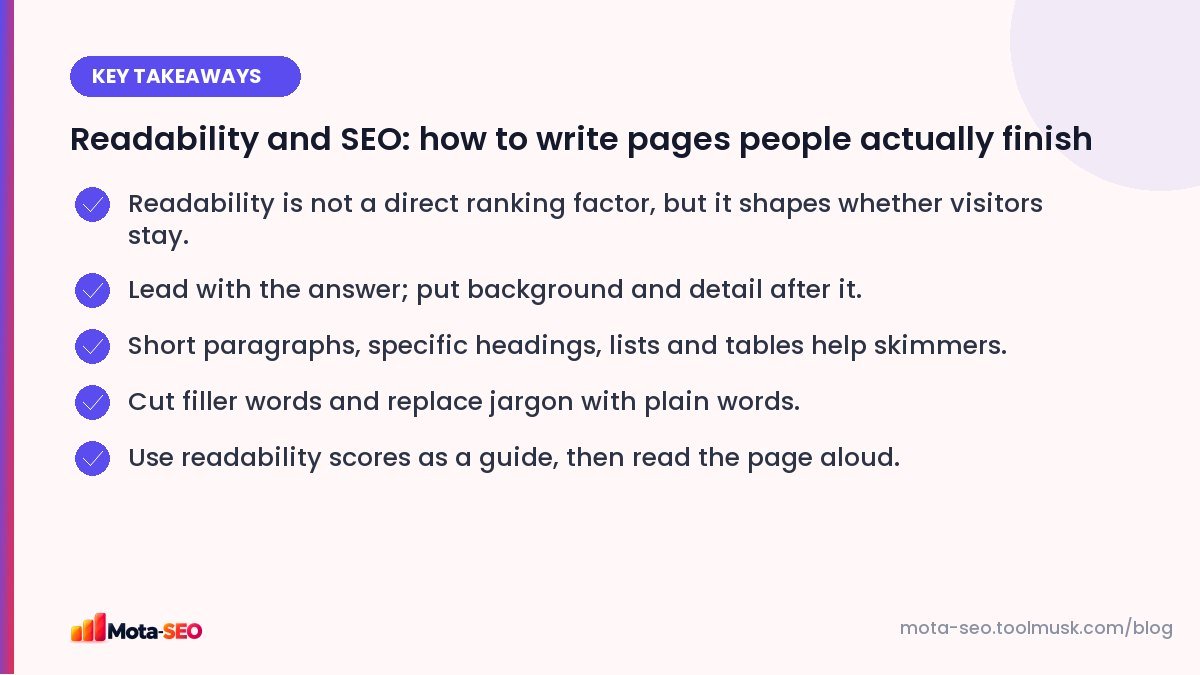
Key takeaways from this guide
What makes text hard to read online
- Long paragraphs with no visual breaks.
- Long sentences with several ideas chained together.
- Jargon and abbreviations the reader may not know.
- Throat-clearing introductions before getting to the point.
- Vague headings that don't tell you what's below them.
- Tiny grey text on mobile.
Seven edits that make any page easier to read
1. Put the answer first
If someone searches "how long does a passport take in India", the first lines should give the typical timeframe, then explain what changes it. Many pages make readers wade through three paragraphs of background first. Journalists call the answer-first style the inverted pyramid; it works just as well for web pages.
2. One idea per paragraph
Two to four sentences is plenty for most paragraphs on the web. White space isn't wasted space; it makes the page feel approachable, especially on a phone screen.
3. Shorter sentences
Before: "In order to ensure that the renovation is completed within the agreed timeline, it is important that all the materials which have been selected by the client are made available before the commencement of the work."
After: "To finish on time, we need all your chosen materials on site before work starts."
Same meaning, a third of the words.
4. Plain words over jargon
"Utilise" → "use". "Commence" → "start". "In the event that" → "if". When a technical term is necessary, explain it the first time: "the TDS (total dissolved solids, a measure of minerals in water)".
5. Headings that say something
A reader should understand the page by reading only the headings. "Pricing" is OK; "How much a 2BHK interior costs in Hyderabad" is better. Our headings guide covers structure in detail.
6. Lists and tables for anything comparable
Steps belong in numbered lists. Options with features belong in tables. Three or more parallel items belong in a bulleted list. These are the parts of a page people actually read.
7. Cut the filler
Phrases that add nothing: "it is worth noting that", "in today's world", "as we all know", "at the end of the day". Delete them and read the sentence again. It almost always still works.
Readability scores: useful, not gospel
Formulas like Flesch Reading Ease estimate difficulty from sentence length and word length. Higher scores mean easier text. A score around 60–70 suits most general audiences; technical B2B content can reasonably be lower.
Run your text through our readability checker to see the score, average sentence length and the longest sentences. Treat it as a spotlight on problem areas, not a target. A short sentence full of jargon can score well and still confuse people.
The best test is free: read the page out loud. Wherever you stumble, run out of breath, or get bored, your reader will too.
Formatting for phones
Most visitors read on a phone. Check:
- body text at least 16 px, with comfortable line spacing,
- good contrast: dark text on a light background (test colours with the colour contrast checker),
- tables that scroll sideways instead of breaking the layout,
- no pop-up covering the content on arrival.
Does length matter?
There's no ideal word count. A page should be as long as it needs to be to answer the question well, and no longer. A 400-word page that answers a simple question perfectly beats a 3,000-word page padded to look thorough. For complex topics, length comes naturally; just make it easy to navigate with headings and a table of contents. You can check reading time with the reading time calculator.
A quick before-publishing routine
- Does the first paragraph answer the main question?
- Can you understand the page from the headings alone?
- Any paragraph longer than five lines on a phone? Split it.
- Any sentence over about 25 words? Shorten or split it.
- Read it aloud once.
Readable writing is a habit more than a talent. Do this routine for a month and you'll find you write that way from the first draft.
Frequently asked questions
Is readability a Google ranking factor?
Not directly. Google does not use readability scores to rank. But readable pages tend to satisfy visitors and keep them engaged, which aligns with what Google wants to rank.
What is a good Flesch Reading Ease score?
Around 60 to 70 suits most general web content. Lower scores are acceptable for specialist audiences. Use the score as a guide alongside reading the text yourself.
How long should paragraphs be for web content?
Usually two to four sentences. Short paragraphs are easier to read on phones and make pages easier to skim.
Do long articles rank better?
Not because of length. Long articles rank when they answer a topic more completely. Padding a page to reach a word count usually makes it worse.

Written by the Mota-SEO team
We build free SEO and website tools. Our guides are practical, written for small teams, and checked against Google's own documentation.
Comments 0