H1 to H6: how to structure headings for SEO and for readers
Headings are the outline of your page. Search engines use them to understand structure; readers use them to decide whether to keep reading. Here is how to get them right, with examples.

Open almost any page, squint, and you'll see its headings stand out. That's what most visitors do: they scan the headings to decide whether the page has what they need. Search engines do something similar, using headings to understand what each section covers.
Getting headings right is one of the easiest on-page improvements, and one of the most commonly broken by themes and page builders.
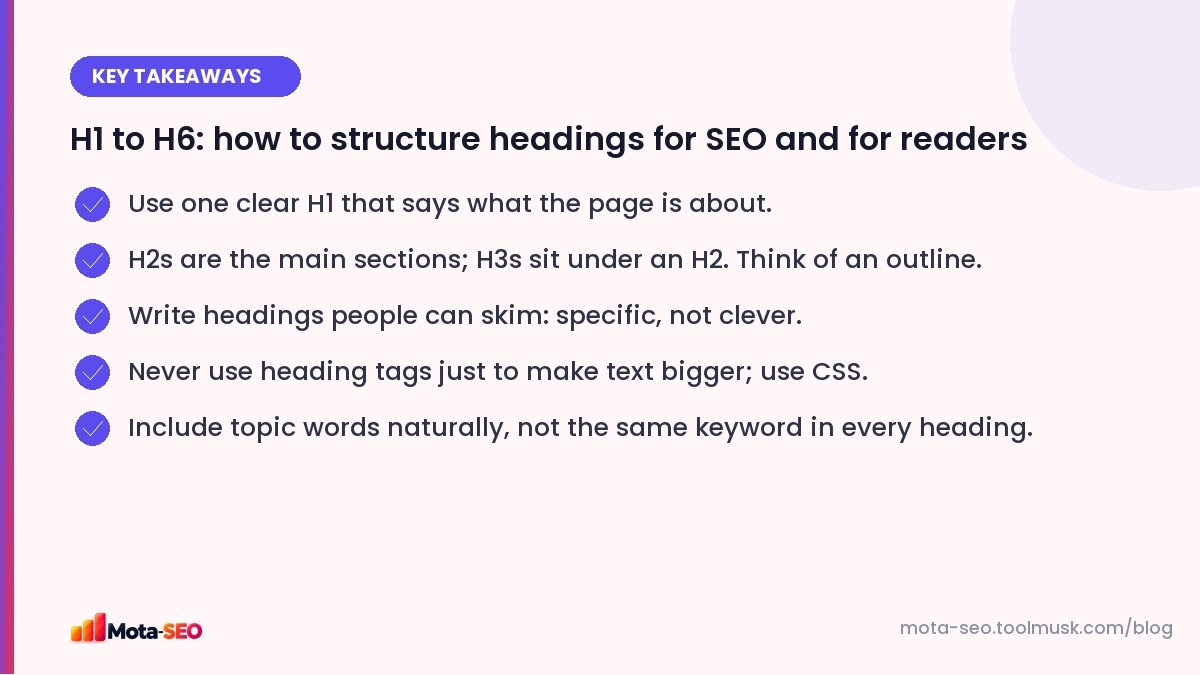
Key takeaways from this guide
What heading tags are
HTML has six heading levels, <h1> to <h6>. They describe structure, not style:
- H1: the title of the page's main content.
- H2: the main sections.
- H3: subsections inside an H2.
- H4–H6: deeper levels, rarely needed outside long documentation.
A good outline, visualised
H1  Root Canal Treatment in Pune
  H2  What a root canal involves
    H3  Single-visit vs multi-visit treatment
    H3  Does it hurt?
  H2  Root canal cost in Pune
    H3  What changes the price
  H2  Recovery and aftercare
  H2  Why patients choose SmileCare
  H2  Frequently asked questions
Read the headings alone and you understand the page. That's the test.
One H1 or several?
HTML5 technically allows multiple H1s, and Google has said it handles pages with more than one. But a single, clear H1 is still best practice: it removes ambiguity about what the page is about and it's better for screen reader users, who often jump to the H1 first.
Common problems we find:
- No H1 at all: the page title is styled text in a
<div>. - Logo as the H1 on every page, so every page's H1 is the brand name.
- Several H1s because the theme wraps widget titles in H1 tags.
Our H1–H6 heading checker shows the full outline of any URL, which makes these issues obvious.
Writing headings people actually skim
Compare:
| Vague | Specific |
|---|---|
| Introduction | What a root canal involves |
| Pricing | Root canal cost in Pune (2026 prices) |
| Things to know | How long recovery takes, day by day |
| Our process | What happens at your first appointment |
| Conclusion | Is a root canal worth it? |
Specific headings help readers find their answer, help Google match sections to searches, and are easy to link to directly.
Keywords in headings
Headings are a good place for topic words, because they summarise sections. But the goal is to describe each section accurately, not to repeat your keyword. If your H1 is about "root canal treatment", the H2s should naturally cover related questions: cost, pain, recovery, alternatives. That variety helps Google see the page covers the topic thoroughly.
Don't skip levels for style
Jumping from H2 straight to H4 because the H4 looks nicer breaks the outline. Assistive technology users navigate by heading levels and will be confused. Style headings with CSS; choose the tag by structure.
The reverse problem is just as common: designers use H2 or H3 for any large text, such as a phone number in the header or "Follow us" in the footer. Those should be ordinary text with styling.
Headings in page builders and themes
Page builders (Elementor, Divi and similar) let you choose the HTML tag of every heading widget, but default to H2. That leads to pages where twenty decorative lines are all H2s. Go through your key templates once, set each heading's tag deliberately, and check the result with the heading checker.
Headings and featured snippets
Pages that answer a question directly under a heading that states the question, for example an H2 "How long does a root canal take?" followed by a two-sentence answer, are well structured for featured snippets and for being quoted in search summaries. Structure helps, though it's never a guarantee.
A five-minute heading check
- Run the page through the heading checker.
- Is there exactly one H1, and does it say what the page is about?
- Do the H2s read like a table of contents?
- Are any headings just styled text (phone numbers, slogans)? Change them to paragraphs.
- Does every H3 sit under a relevant H2?
Fixing headings rarely takes long, and it improves a page for readers, assistive technology and search engines all at once. While you're there, check the title tag matches the H1's topic; our meta title guide explains how they work together.
Frequently asked questions
Can a page have more than one H1?
It is technically valid HTML and Google can handle it, but one clear H1 that describes the page is still the best practice for SEO and accessibility.
Do headings help SEO?
Yes. They help search engines understand the structure and topics of a page, and they make pages easier for people to scan, which supports engagement.
Should the H1 be the same as the title tag?
They should describe the same topic. They can differ in wording: the H1 is often a natural headline, while the title tag is shorter and includes the brand.
Is it bad to skip heading levels?
Skipping from H2 to H4 does not cause a penalty, but it breaks the logical outline and makes navigation harder for screen reader users. Keep levels in order.

Written by the Mota-SEO team
We build free SEO and website tools. Our guides are practical, written for small teams, and checked against Google's own documentation.
Comments 0