Open Graph tags: control how your links look on WhatsApp, Facebook and LinkedIn
When someone shares your page on WhatsApp or LinkedIn, the preview card decides whether anyone taps it. Open Graph tags control that card. Here is the minimum set, the image sizes, and how to fix stale previews.
You publish a new article, paste the link into a WhatsApp group, and the preview shows your logo, the site name and the homepage description. Not exactly tempting. That's what happens when Open Graph tags are missing or wrong.
Open Graph is a set of meta tags, originally created by Facebook, that most platforms now read to build link previews: WhatsApp, Facebook, LinkedIn, Telegram, Slack, Discord and others. They don't affect Google rankings, but they affect how many people click your links everywhere else.
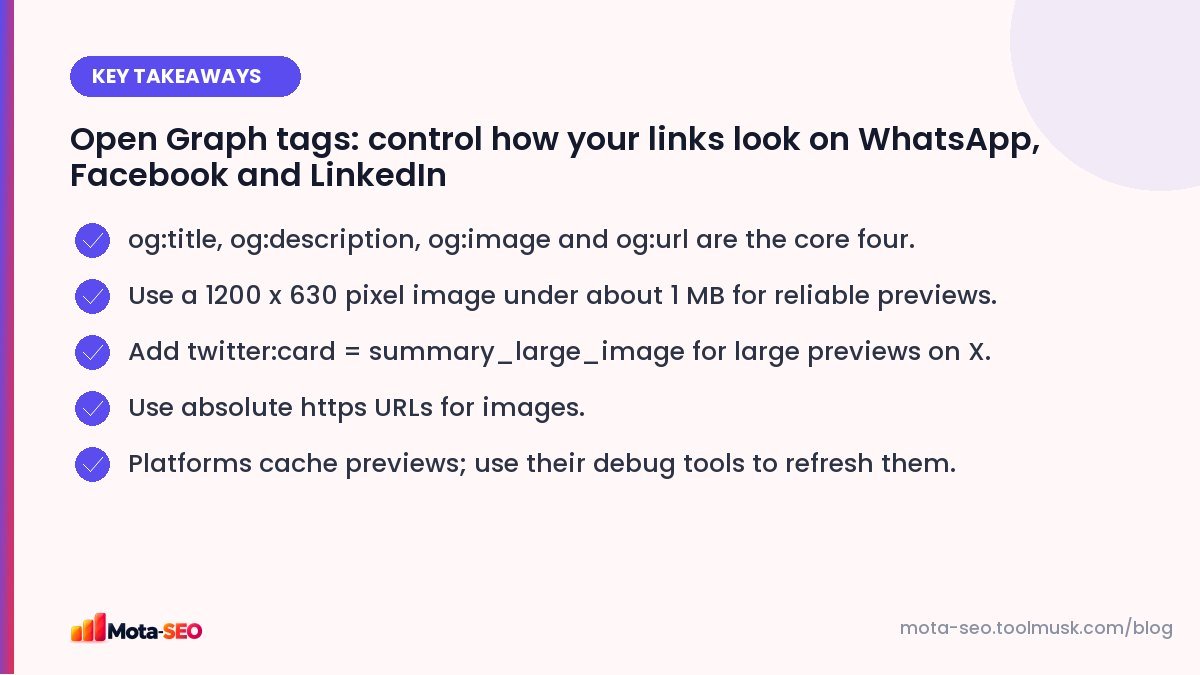
Key takeaways from this guide
The minimum set
<meta property="og:type" content="article">
<meta property="og:title" content="How to Write a Meta Title That Gets Clicks">
<meta property="og:description" content="Length, keyword placement and 20 before-and-after examples.">
<meta property="og:image" content="https://example.com/images/meta-title-guide.jpg">
<meta property="og:url" content="https://example.com/blog/how-to-write-a-meta-title">
<meta property="og:site_name" content="Example">
<meta name="twitter:card" content="summary_large_image">
That covers nearly every platform. X (Twitter) falls back to Open Graph for title, description and image, so the only extra tag it really needs is twitter:card to show the large image format.
Our Open Graph generator writes these tags for you and previews the card.
Each tag explained
| Tag | What to put |
|---|---|
| og:title | The headline for the card. Can be a bit more conversational than your SEO title; no need for the brand name. |
| og:description | One or two sentences. Some platforms show only the first line, so lead with the point. |
| og:image | An absolute https URL to an image made for sharing. |
| og:url | The canonical URL of the page, so shares of different URL versions are counted together. |
| og:type | website for most pages, article for blog posts, product for products. |
| og:site_name | Your brand name. |
Getting the image right
The image does most of the work. Recommendations that work across platforms:
- Size: 1200 × 630 pixels (a 1.91:1 ratio). This is what Facebook and LinkedIn display best.
- File size: keep it under about 1 MB; WhatsApp in particular can skip large images. JPG or PNG are the safest formats.
- Safe area: some platforms crop to a square. Keep the key text and logo in the centre.
- Text: a short headline in big type works well; tiny text is unreadable on phones.
- Absolute URL:
https://example.com/img.jpg, never/img.jpg.
The image resizer can crop any image to 1200 × 630 in your browser.
Why WhatsApp or Facebook shows the old preview
Platforms cache link previews, sometimes for days. If you fix your tags and the old card still appears:
- Facebook: use the Sharing Debugger and click "Scrape again".
- LinkedIn: use the Post Inspector, which refreshes the cache.
- WhatsApp: it caches per link; adding a harmless query string such as
?v=2to the shared URL forces a fresh fetch.
Common problems and fixes
| Problem | Likely cause |
|---|---|
| No image in preview | Missing og:image, relative URL, image blocked by robots.txt, or image too large. |
| Wrong image | Platform guessed from the page because og:image is missing; or a plugin outputs two og:image tags. |
| Homepage title on every page | Theme or plugin sets site-wide defaults and never per page. |
| Preview works on Facebook but not WhatsApp | Image too heavy, or the page is slow to respond to the preview bot. |
| Nothing at all | The page requires login, or the server blocks unknown user agents. |
Check what tags a page currently outputs with the meta tags checker, which lists Open Graph and Twitter tags alongside the regular SEO tags.
Do Open Graph tags help SEO?
Not directly; Google doesn't rank pages by their og tags. Indirectly, better-looking shares get more clicks, more visits and more chances for people to link to you. For businesses that rely on WhatsApp sharing, which is a lot of businesses in India, a good preview card is one of the cheapest conversion improvements available.
Set it once, per template
In WordPress, SEO plugins handle Open Graph tags and let you set a custom image per post. On custom sites, add the tags to each template and fill them from the page's own title, description and featured image. Then share one page of each type to yourself on WhatsApp to confirm it looks right.
Frequently asked questions
What size should an Open Graph image be?
1200 by 630 pixels works best across Facebook, LinkedIn and WhatsApp. Keep important content in the centre and the file under about 1 MB.
Do Open Graph tags affect Google rankings?
No. They control how links look on social and messaging apps. They can still help indirectly by getting more clicks and shares.
Why is WhatsApp not showing my link preview image?
Common causes are a missing or relative og:image URL, an image that is too large, or a slow or blocked page. Use an absolute https image URL under about 1 MB.
Do I need separate Twitter card tags?
Mostly no. X reads Open Graph tags as a fallback. Add twitter:card with the value summary_large_image to get the large image preview.

Written by the Mota-SEO team
We build free SEO and website tools. Our guides are practical, written for small teams, and checked against Google's own documentation.
Comments 0