Canonical tags: when to use them and how to get them right
A canonical tag tells search engines which URL is the main version of a page. It is the standard fix for duplicate URLs, but it is a hint, not a command, and a few common mistakes make Google ignore it.
The same content often lives at more than one URL: with and without tracking parameters, under two categories, in a print version. The canonical tag is how you tell search engines which one is the real page, so ranking signals are consolidated there and that's the URL that shows in results.
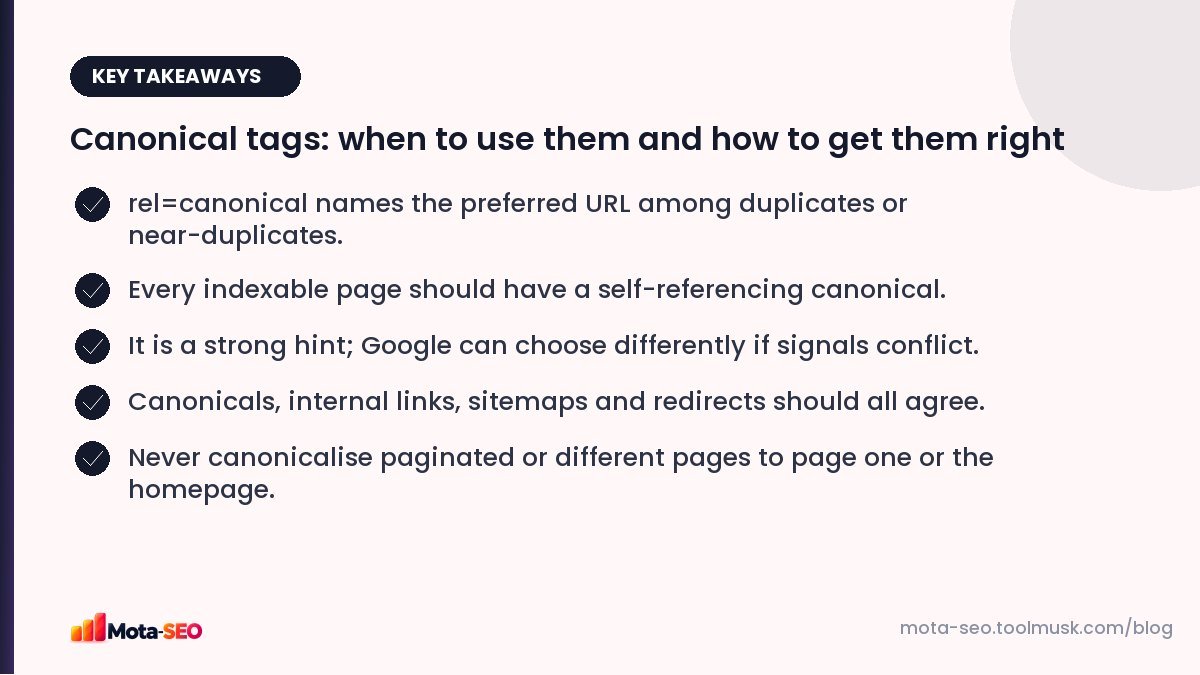
Key takeaways from this guide
What it looks like
<link rel="canonical" href="https://example.com/shoes/mens-running-shoes">It goes in the <head> of the page. Use an absolute URL, with the exact protocol and host you want indexed.
When to use a canonical
- URL parameters:
/shoes?utm_source=whatsappshould canonicalise to/shoes. - Sorting and filtering:
/shoes?sort=priceshows the same products in a different order. - A product in several categories:
/men/running/shoe-xand/sale/shoe-x. - Printer-friendly or alternate versions of the same article.
- Syndicated content: when your article is republished elsewhere, the copy can carry a canonical pointing to your original.
Self-referencing canonicals
Every normal, indexable page should include a canonical pointing to itself. It looks redundant, but it protects you: if someone links to the page with a parameter attached, or the page is reachable via an alternate path, the canonical clarifies which URL is the original. Most CMSs and SEO plugins do this automatically.
Canonical vs redirect vs noindex
| Use | When |
|---|---|
| 301 redirect | The duplicate URL shouldn't exist for anyone (old URL, http, non-www). |
| Canonical | Visitors still need the duplicate URL (filters, tracking), but search should use the main one. |
| Noindex | The page should exist for users but never appear in search, and isn't a duplicate of a specific page (internal search results). |
See our duplicate content guide for the bigger picture.
Why Google sometimes ignores your canonical
The canonical is a strong hint, not an instruction. Google weighs it with other signals and may choose a different URL if they conflict. Typical reasons:
- The pages aren't actually duplicates. Canonicalising page two of a category to page one, or a product to its category, contradicts the content.
- Internal links point to the other version. If your menu links to
/shoes/but the canonical says/shoes, signals conflict. - The sitemap lists the other version.
- The canonical URL redirects, 404s or is noindexed.
- Multiple canonical tags on one page, often from a theme and a plugin both adding one. Google may then ignore both.
In Search Console's URL inspection, compare "User-declared canonical" with "Google-selected canonical". If they differ, look for one of the conflicts above.
Mistakes that cause real damage
- Every page canonicalised to the homepage, usually a template bug. Google may drop inner pages from the index.
- Paginated pages canonicalised to page one. Pages 2, 3, 4 contain different products or posts; give each a self-referencing canonical.
- Relative or malformed URLs, such as
href="shoes"or a missing protocol. - Canonical to http on an https site, left over from a migration.
- Canonical in the body instead of the head, which Google ignores.
- Cross-language canonicals: the Hindi version canonicalised to the English one. Use hreflang for language versions, with self-referencing canonicals on each.
Checking canonicals
Our canonical URL checker shows the canonical declared on any page, flags multiple tags, and checks whether the target returns 200. Run it on one example of each template: home, category, filtered category, product, article. Template bugs show up immediately.
HTTP header canonicals
For non-HTML files such as PDFs, you can send the canonical as an HTTP header:
Link: <https://example.com/guides/gst-guide>; rel="canonical"Useful when the same PDF is available at several URLs, or when you want an HTML page to be the canonical for a PDF version. You can see headers with the HTTP headers checker.
A worked example: an online shoe shop
A single product, "Trail Runner X", can be reached in several ways on a typical shop:
| URL | Canonical should point to |
|---|---|
| /products/trail-runner-x | itself |
| /men/running/trail-runner-x | /products/trail-runner-x |
| /products/trail-runner-x?color=blue | /products/trail-runner-x (unless colours are separate products) |
| /products/trail-runner-x?utm_source=whatsapp | /products/trail-runner-x |
| /men/running?page=2 | itself (different products from page 1) |
And the canonical target itself must return a 200 status, not a redirect or 404. If you're unsure what status a URL returns, our guide to HTTP status codes explains each one and how to check.
Quick rules to remember
- One canonical per page, in the head, absolute URL.
- Self-referencing on every indexable page.
- Point only to a truly equivalent page that returns 200.
- Keep links, sitemap and canonical pointing to the same version.
Frequently asked questions
What is a self-referencing canonical?
A canonical tag on a page that points to that same page's URL. It confirms the page is the preferred version and protects against parameter and duplicate URLs.
Is a canonical tag the same as a redirect?
No. A redirect sends visitors and bots to another URL. A canonical keeps the page accessible but tells search engines which URL to index and rank.
Why did Google choose a different canonical than mine?
Usually because other signals conflict: internal links or the sitemap point to another version, the pages are not really duplicates, or your canonical URL redirects or is noindexed.
Should paginated pages have canonicals to page one?
No. Each paginated page shows different items and should have a self-referencing canonical.

Written by the Mota-SEO team
We build free SEO and website tools. Our guides are practical, written for small teams, and checked against Google's own documentation.

Comments 0